0964 466 014






Mind Maps: Definition, Benefits, How to Draw and Effective Applications
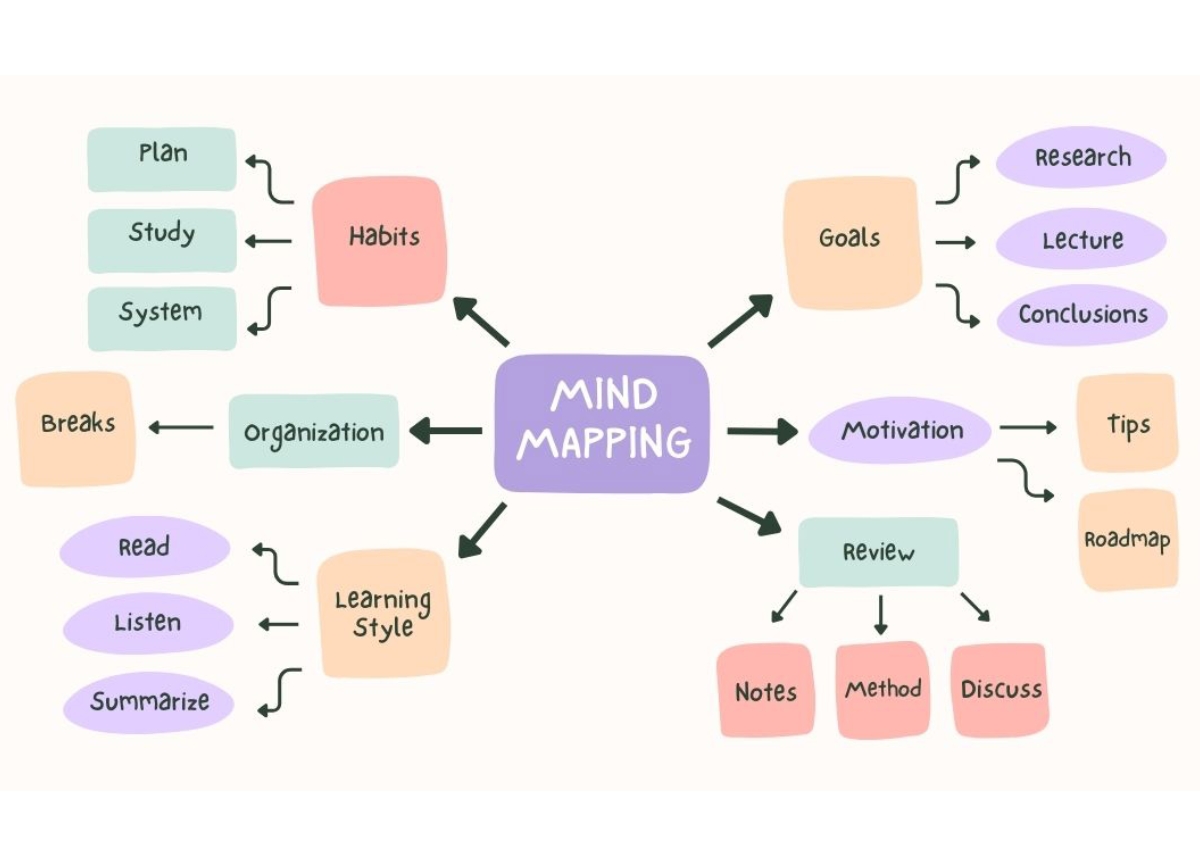
A mind map is a creative method of note-taking and organizing information that helps connect ideas in a logical and memorable way. By combining images, colors, and keywords, mind maps not only help you remember quickly, but also spark creativity and aid effective problem solving. Whether in study or work, this is a powerful tool for optimizing productivity and enhancing thinking efficiency. Let’s explore mind maps with SNA.


- Overview mind map
- What is a Mind Map?
- History and Creation (Tony Buzan)
- Applications of Mind Maps in Study and Work
- Benefits of Mind Maps
- Common Types of Mind Maps
- Steps to Draw an Effective Mind Map
- Tips to Make Mind Maps Memorable and Outstanding
- Software and Tools for Mind Maps
- Sample Mind Map Examples
- Experience Applying Mind Maps
Overview mind map
What is a Mind Map?
A mind map is a way to record and structure information in a branching diagram. At the center lies the main topic, from which branches extend containing related ideas or information. This layout allows the brain to more easily remember, make connections, and visualize the overall picture. Different from traditional linear notes, a mind map leverages visual thinking and associations of the brain, making learning and work more effective.
>>> Related articles:
- Critical Thinking: Concept and Ways for Students to Cultivate It
- Logical Thinking: Definition and How to Train Your Mind for Maximum Potential
- Creative Thinking: Definition, Examples, and Ways to Develop the Skill
History and Creation (Tony Buzan)
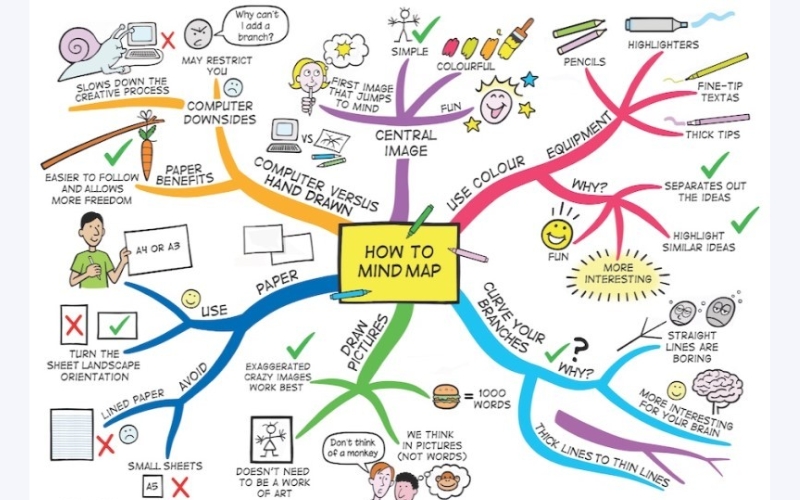
The mind map method was developed and popularized by Tony Buzan, an English psychologist, author, and speaker. In the 1970s, he introduced mind maps as a tool to help people exploit the brain’s full potential. Since then, mind maps have become a widely-used tool in learning and idea management all over the world.
Applications of Mind Maps in Study and Work
- Project Planning: At the start of a project, you can list all tasks to be done—goals, resources, budget, time, delegation. For example: in a marketing campaign project, create a mind map with “Q3 Marketing Campaign” as the central topic, then branches like “Market Research”, “Content Creation”, “Advertising”, “Performance Measurement.”
- Brainstorming in Meetings: Instead of scattered notes, you use a mind map to quickly capture team members’ ideas. From the central topic, various ideas branch out clearly, easy to collect and preventing omission.
- Taking Notes During Presentations: Mind maps help summarize a speaker’s talk into keywords, images, and linkages. This saves writing time while retaining the main points.
- Work Progress Management: You can create a mind map to track each task, its deadline, and its completion level. Each branch represents a department or specific task, making management easier.
- Study Purposes: Summarizing lesson content: instead of memorizing full passages, use mind maps to outline main ideas of each chapter; this helps see the big picture and interconnections.
- Vocabulary Learning in Foreign Languages: Using mind maps to group vocabulary by topic, e.g. “Food”, “Family”, “Work”… each branch is a thematic group of words, with images, helping faster and longer retention.
- Exam Review: Before exams, glance through mind maps you made to systematize knowledge. Saves time and helps avoid missing content.
- Ideas for Presentations or Essays: From main topic, you build branches of content, evidence, data, and images. This helps structure your speech or writing clearly and attractively.
>>> Related articles:
- Global Thinking: Definition and Its Role in the Era of Global Integration
- 15+ 21st-Century Skills – The Foundation for Becoming Future Global Citizens
Benefits of Mind Maps
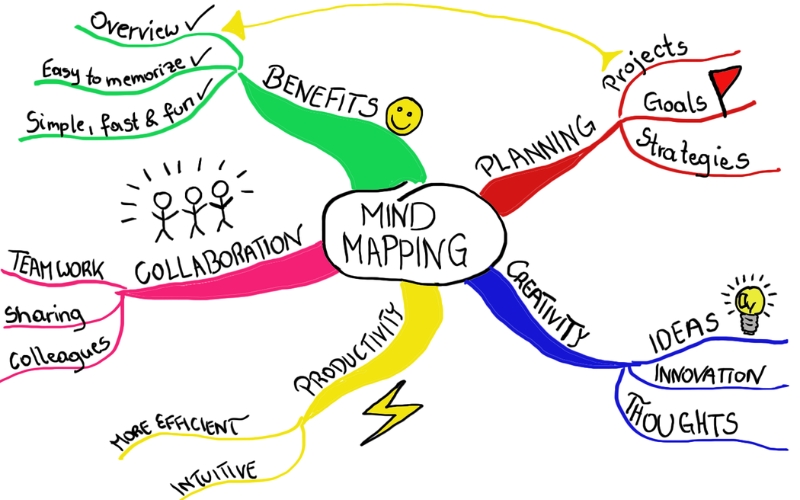
- Helps remember information more quickly and for longer: The brain tends to remember better when information is presented visually, with images, colors, and a branching structure. Mind maps meet this mechanism: combining text + visuals, logical connections, etc.
- Stimulates creativity: Mind maps don’t force you to record in a rigid order; ideas can grow naturally. Free branching, use of colors and symbols, activates the creative side of the brain and encourages unexpected ideas.
- Organizes ideas scientifically: Arranges information in a clear hierarchy: center → major branches → minor branches → details. Easy to follow and avoids information overload or duplication.
- Increases study and work efficiency: Pulling together information in a mind map helps save time, improves concentration. You can quickly grasp core points without reading everything. Also aids decision making because ideas/data are displayed visually and logically.
Common Types of Mind Maps
- Tree Mind Map: The most common type, with a central topic and large branches spreading like tree limbs. Good for systematizing knowledge or planning.
- Network Mind Map: Ideas are linked in a network, without strict hierarchy, used for creative brainstorming.
- Logic Map: Information arranged in logical sequence; used often for analyzing issues or argumentation.
- Picture Mind Map: Focuses on using illustrations rather than much text; helps support visual memory.
>>> Related article: Global Citizen: Definition, Criteria, and Essential Skills
Steps to Draw an Effective Mind Map
- Step 1: Identify the Main Topic
The main topic is the heart of your mind map. Choose a topic that is clear and concise, ideally using a keyword or a short phrase (up to about 3 words). Place this topic in the center of the page or screen so branches can spread around evenly. Adding a relevant image helps memory (e.g. for “Da Lat Travel,” include an icon of the wildflower or mountain). - Step 2: Branch Out Main Ideas
From the center theme, draw main branches that represent important groups of content or aspects. Each branch should have its own color to be easy to distinguish and to help the brain remember better. For example, for a Biology mind map, main branches could be “Plants,” “Animals,” “Ecology,” “Genetics.” Clear branching helps you see the scope at a glance. - Step 3: Add Sub-ideas
After main branches, add smaller sub-branches to include additional details such as examples, data, illustrations. Prefer keywords over long sentences for neatness and readability. You can enhance visual appeal with icons or illustrations. E.g. under “Da Lat Cuisine,” sub-branches like “Grilled Rice Paper,” “Chicken Stew with Lá É,” “Strawberries,” plus small illustrations can make it more engaging. - Step 4: Use Colors, Illustrations, Visuals
Color plays a key role in making a mind map vivid and memorable. Choose about 3-5 main colors and use them consistently; e.g. blue for theory, red for examples, yellow for special notes. Also use visuals or icons to strengthen associations. If drawing by hand, sketch images; if digital, use icons and built-in image libraries. Thicker lines for main branches, thinner for sub-branches help show hierarchy.
Tips to Make Mind Maps Memorable and Outstanding
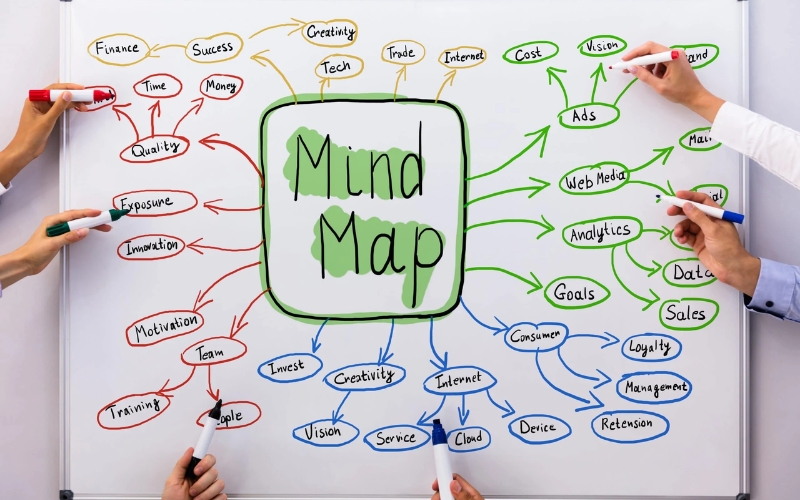
- Use concise keywords rather than full sentences.
- Combine images and symbols: icons help highlight ideas and stimulate memory.
- Assign colors to different branches so they are distinct and visually appealing.
- Maintain a clean layout; avoid clutter. Leave white space between branches so mind map “breathes” and is easy to follow.
- Prioritize text size and line thickness: central idea big and bold; main branches medium; deeper branches smaller and subtler. Lines connecting from center to branches thick, then tapering.
Software and Tools for Mind Maps
Free Tools:
- XMind, Coggle, MindMeister – user-friendly, templates available, allows exporting to formats like PDF, PNG. Good for students, beginners.
Paid Tools:
- MindManager, iMindMap (also known as Ayoa) — advanced features like project planning, deadline tracking, linking with other apps. Suitable for professionals.
Online / Mobile Tools:
- Canva, Miro, SimpleMind allow access on multiple devices, easy to share, many templates and icon/image libraries. Good for people who move around, work remotely, or need quick editing on mobile.
Sample Mind Map Examples
- Mind map for a lesson: Use a simple layout, soft colors, and illustrative images to summarize a chapter or lecture. Each branch highlights a subtopic like concept, example, or important note, helping learners see structure and remember.
- Mind map for work plan: A tree-like hierarchy: central node is the project → major goals → tasks → tracking progress. Useful for keeping track of stages and coordinating between teams.
- Creative mind map: More free-form structure, with branches expanding flexibly according to ideas. Uses vibrant colors and symbols. Ideal for brainstorming, artistic ideas, or content creation
Experience Applying Mind Maps
- Have a clear objective before you start: know if you’re using the mind map for studying, planning, or brainstorming. That helps you choose how to branch and what keywords to use.
- Begin with the central idea strong: place it in the center, make it stand out visually. A clear center helps the rest of the structure follow naturally.
- Use short keywords and visual cues: icons or images help with recall. Experts in memory techniques often use this.
- Prioritize branches by importance or sequence: main branches should be nearest, sub-branches further away. Different colors help distinguish.
- Update and refine continuously: a mind map isn’t static. Add, adjust or reorganize when new ideas come. This keeps the map relevant and effective.

A mind map is a wonderful ally for turning scattered information into a clear, understandable system. Once you know how to apply it flexibly, you can enhance memory, manage tasks well, and be more creative in both studying and working. Try starting with simple mind maps that suit your style, you may be surprised by positive changes in how you learn and think.